
New
Pussycat – Albion Online

From 3.99$
🔥 16sold in last 16 hours
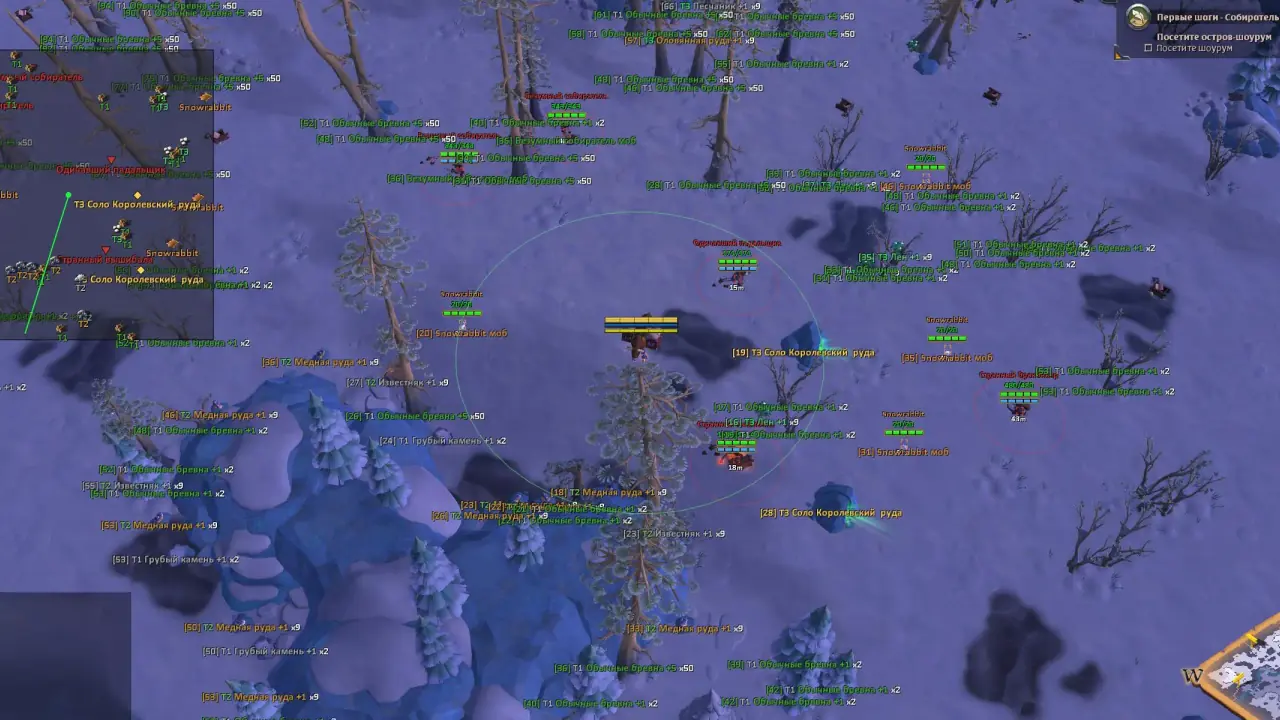
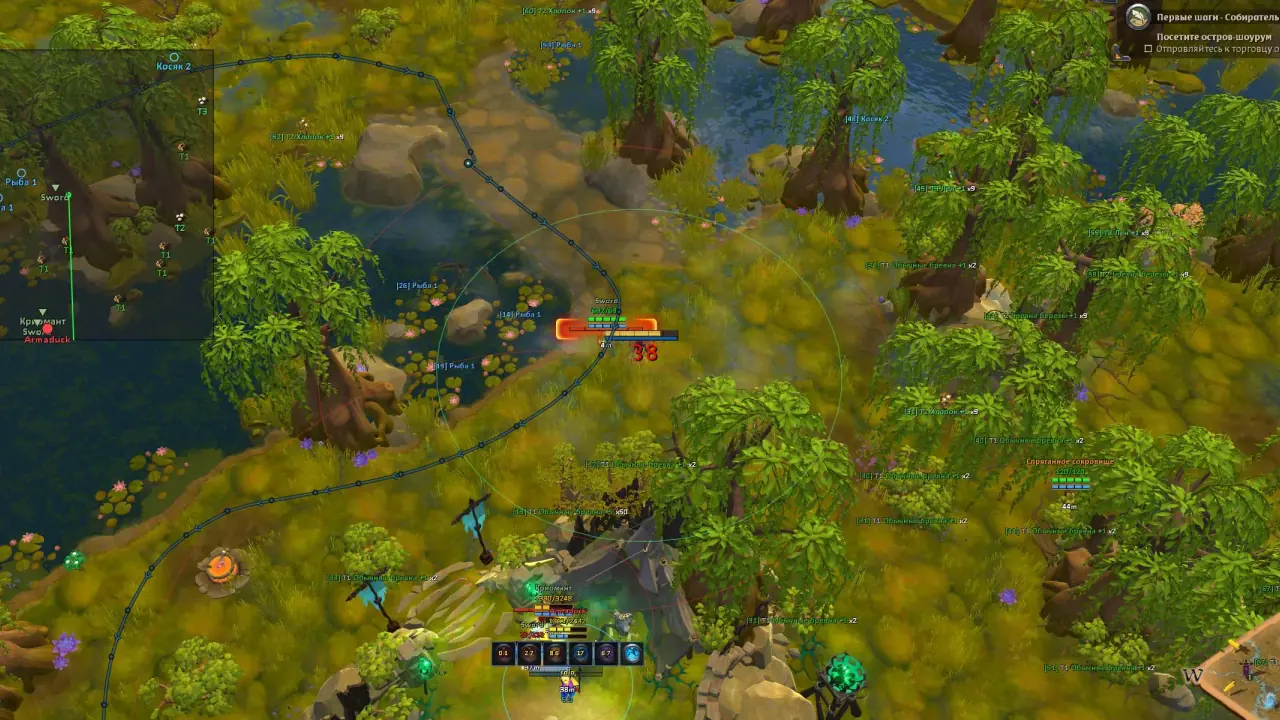
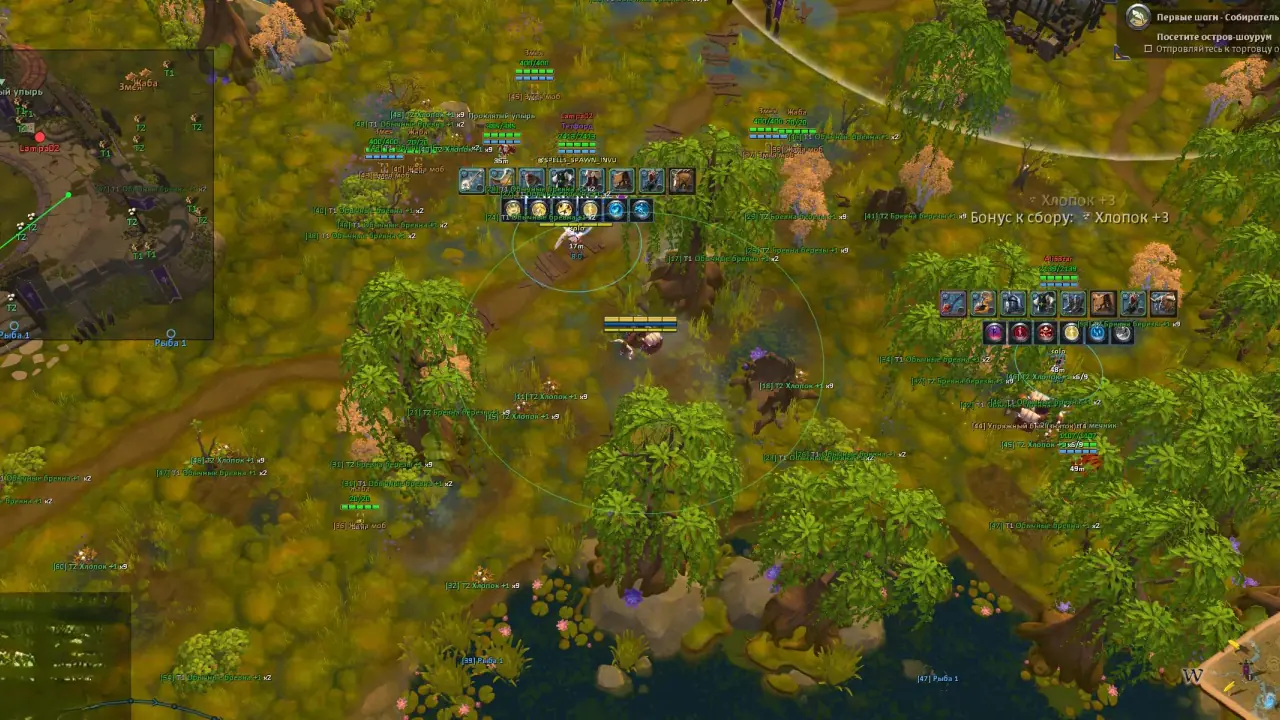
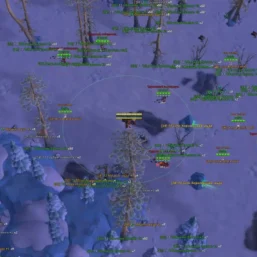
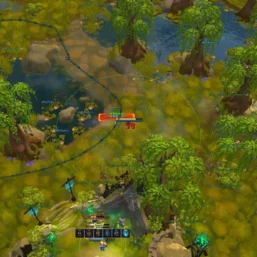
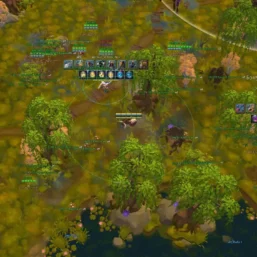
Pussycat for Albion Online combines detailed player and world ESP with filters for equipment, resources and valuable objects. Explore with a configurable radar and resource, fishing and hunting bots that support routes and gathering options.
🌐 STATUS: ✅ Undetected
- ESP, RADAR, COLORS, MISC
- Full Features Lists in below description section
System requirements:
Launcher: Albion Online (PC), Steam
Supported processors: Intel, AMD
Video card: Nvidia & AMD
Supported OS: Windows 10, Windows 11
Declaimer: We are not developing this software and we are a premium reselling service. We at ezMod do not advise or condone in any way, shape, or form the usage of any software sell from our shop in online gaming.
👁️🗨️ 10people are viewing this right now
Work in progress! The actual Software may have more/less features than displayed below. We will do our best to update it fully in the near future.
Pussycat – Albion Online: Full Features List
Players
- Enemies – displays enemy players
- Allies – displays allied players
- Max Distance – maximum player render distance
- Show Distance – shows the distance to the player
- Hide Guild/Party – hides players from your guild or party
- Name – displays the player’s name/nickname
- Health – shows the player’s health
- Health Bar – displays the health bar
- Mana Bar – displays the mana bar
- PvP Flag – shows the player’s PvP status
- Cast Bar – displays the ability cast progress
- Effects – shows the player’s active effects
- Box – displays a box around the player
- Snaplines – draws lines to players
- Line Origin – selects the line starting point (bottom/top of the screen, from the crosshair)
Equipment
- Player Equipment – displays the player’s equipment
- Spells – shows the player’s abilities
- Cooldowns – displays ability cooldowns
- Spell Range – shows the ability cast range
- Icon Size – adjusts icon size
- Icon Position – selects icon position
- Above – places icons above the player
- Below Bars – places icons below the bars
- Below Box – places icons below the box
- Offset X – adjusts horizontal offset
- Offset Y – adjusts vertical offset
World ESP
- Mobs – displays creatures on the map
- Hide Critters – hides small creatures
- Aggro Radius – shows creature aggro radius
- Dropped Loot – displays dropped items
- Items Name – shows the item name
- Item Distance – shows the distance to the item
- Fishing Spots – displays fishing spots
- Fishing Max Distance – maximum render distance for fishing spots
- Fishing Distance – shows the distance to the fishing spot
- Fishing Hide Empty – hides empty fishing spots
- Silver – displays silver on the ground
- Silver Distance – silver render distance
- Silver Distance Label – shows the distance to silver
- Corpses – displays corpses
- Corpse Distance – maximum corpse render distance
- Corpse Distance Label – shows the distance to corpses
- Hunt Tracks – displays hunting tracks
- Hunt Max Distance – render distance for hunting tracks
- Hunt Distance – shows the distance to tracks
- Hunt Hide Used – hides already used tracks
- Crystal Bosses – displays crystal bosses
- Crystal Max Distance – distance for rendering bosses
- Crystal Distance – shows the distance to the boss
- Crystal Show Tier – displays the boss tier
- Events – displays events on the map
- Events Max Distance – maximum distance for events
- Events Distance – shows the distance to the event
- Hideouts – displays hideouts
- Hideout Distance – maximum hideout render distance
- Hideout Distance – shows the distance to the hideout
- Orbs – displays orbs
- Orb Distance – adjusts orb render distance
- Orb Distance Label – shows the distance to the orb
- Shrines – displays shrines
- Shrine Distance – maximum shrine render distance
- Shrine Distance Label – shows the distance to the shrine
- Mounts – displays mounts
- Mount Distance – maximum mount render distance
- Mount Distance Label – shows the distance to the mount
Chests
- Loot Chests – displays loot chests
- Chest Mobs – displays chests in mob camps
- Name – shows the chest name
- Distance – shows the distance to the chest
- Rarity – displays chest rarity
- Hide Empty – hides empty chests
- Max Distance – maximum render distance
Dungeons
- Enable – enables dungeon display
- Max Distance – maximum render distance
- Show Distance – shows the distance to the dungeon
- Random – displays random dungeons
- Royal – displays royal dungeons
- Randomized Holes – displays randomized entrances
- Solo – shows solo dungeons
- Veteran – shows veteran dungeons
- Elite – shows elite dungeons
- Hide Visited – hides visited dungeons
- Corrupted – displays corrupted dungeons
- Hellgates – displays hellgates
- Mists – displays mists
Smugglers
- Smugglers – displays smugglers
- Crates – shows smuggler crates
- Cages – shows smuggler cages
- Max Distance – maximum render distance
- Crate Distance – crate render distance
- Cage Distance – cage render distance
- Hide Opened – hides opened objects
Wisps
- Wisps – displays wisps on the map
- Max Distance – maximum render distance
- Show Distance – shows the distance to wisps
- Filter – filters wisps by group type
- All – displays all wisps
- Solo – displays solo wisps
- Duo – displays duo wisps
- Group – displays group wisps
Resources
- Wood – shows the location of trees
- Stone – shows the location of rocks
- Fiber – shows the location of fiber
- Ore – shows the location of ore
- Hide – shows the location of corpses and creatures
- Nodes + Mobs – displays resource nodes and mobs
- Min Tier – minimum resource tier to display
- Max Tier – maximum resource tier to display
- Min Enchant – minimum resource enchantment
- Max Enchant – maximum resource enchantment
- Tier + Enchant on Label – shows the resource tier and enchantment
- Max Distance – maximum resource render distance (separately for each group)
- Show Distance – shows the distance to the resource or object (separately for each group)
- Show Charges – displays the number of resource charges (separately for each group)
- Hide Depleted – hides fully gathered resources (separately for each group)
- Show Nearby Entities – displays creatures, corpses, and other related objects near gathering spots
Radar Hack
- Radar – enables/disables radar display
- POS X – adjusts the radar’s horizontal position
- POS Y – adjusts the radar’s vertical position
- Size – changes the radar size
- Icons – displays object icons on the radar
- Distance – distance to objects
Resource Bot
- Enable Auto Gather – enables automatic resource gathering
- Gather Radius – adjusts the gathering radius
- Filter Resources via ESP – uses ESP to filter resources
- Skip Resources Behind Walls – skips resources behind walls
- Mob Defense – enables defense against creatures
- Skip Dangerous Mobs – avoids dangerous creatures
- Min Mob Avoid – sets the minimum distance from creatures
- Return to Route – returns to the route after gathering
- Block Stuck Resource – blocks stuck resources
- Stuck Timeout – sets the wait time when stuck
- Auto Food – automatically uses food
- Stop on Overload – stops gathering when overloaded
- Stop from Load % – stops gathering at the specified load
- Use Mount for Gathering – uses a mount while gathering
- Show Gather Radius – displays the gathering radius
Fishing Bot
- Enable Fishing – enables automatic fishing
- From Route Line – uses the route line for movement
- Show Fishing Radius – displays the fishing radius
- Priority Chest – prioritizes chests
- Empty Spots – takes empty fishing spots into account
- Use Mount – uses a mount while moving
- Auto Food – automatically uses food
- Auto Bait – automatically uses bait
- Mob Defense – enables defense against creatures
- Auto-Cast – automatically casts the rod
- Auto-Hook – automatically performs the hook set
- Auto-Pull – automatically reels in the catch
- Auto-Repeat – automatically repeats fishing
- Fish the Whole Spot – fully fishes the selected spot
- Move to Next Spot – moves to the next spot
- Return to Route After Fishing – returns to the route after fishing
Hunting Bot
- Enable Hunt – enables automatic hunting
- Hunt Radius – adjusts the hunting radius
- Hunt Along Route – hunts along the route
- Mob Defense – enables defense against creatures
- Attack Aggro Mobs – attacks aggressive creatures
- Escape Mode – enables retreat mode
- Run Below HP % – retreats at low health
- Skip Mobs Behind Walls – the bot will skip creatures behind walls
- Auto Food – automatically uses food
- Stop on Overload – stops hunting when overloaded
- Stop from Load % – stops hunting at the specified load
- Use Mount for Hunting – uses a mount while hunting
- Show Hunt Radius – displays the hunting radius
Other Pussycat Albion Features
- Area & Route – allows you to manage and build custom routes for resource gathering, fishing, or hunting (flexible configuration)
- Ability Keys – allows you to assign up to 6 keys for different abilities
- Enemy Font Size – adjusts enemy text size
- Item Font Size – adjusts item text size
- Lock Overlay FPS – locks the overlay FPS
- Menu Key – assigns the menu open key
- Save Config – saves the current configuration
- Load Config – loads a saved configuration
- Localization – the menu supports English and Russian
- Camera Zoom – changes the camera zoom level
- No Fog – disables fog
- Debug ESP – outputs diagnostic ESP data for players, world objects, resources, and portals
| Choose License: | 1 Day, 7 Days, 30 Days |
|---|
Brand
Pussycat
Only logged in customers who have purchased this product may leave a review.
Related products

From 4.98$


Reviews
There are no reviews yet.