
New


Pussycat – Rust

From 4.99$
🔥 22sold in last 24 hours
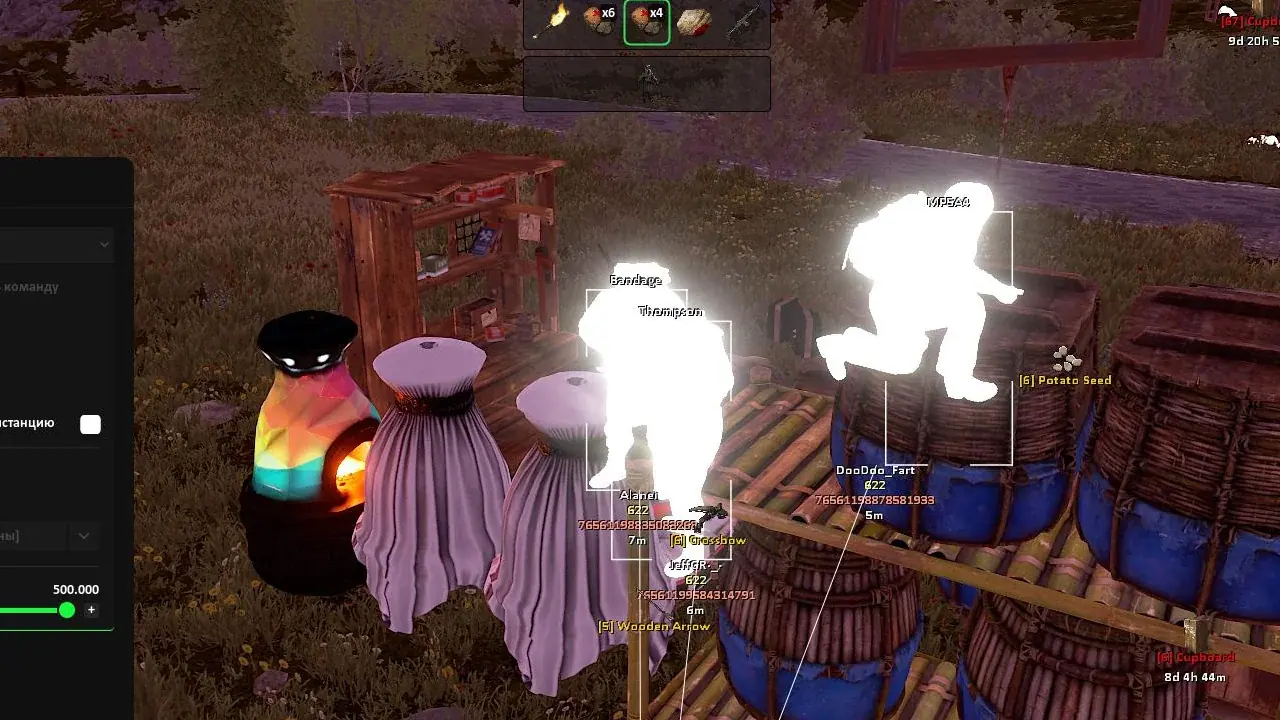
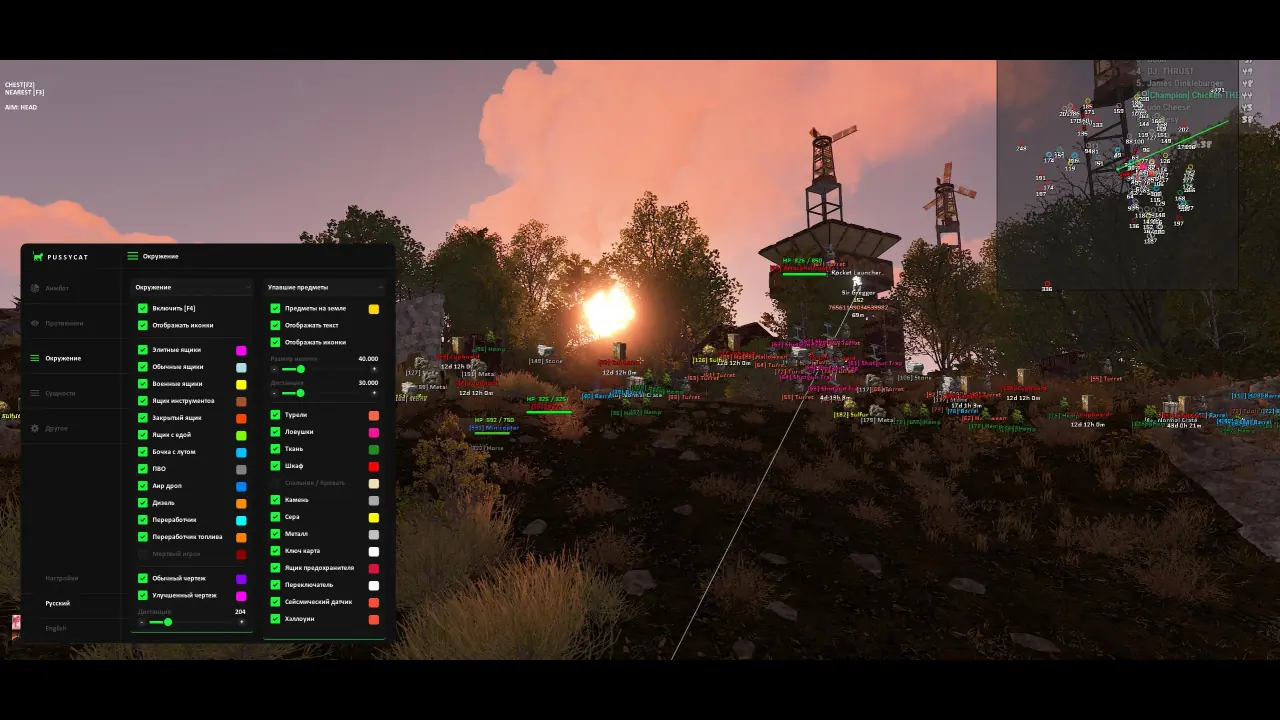
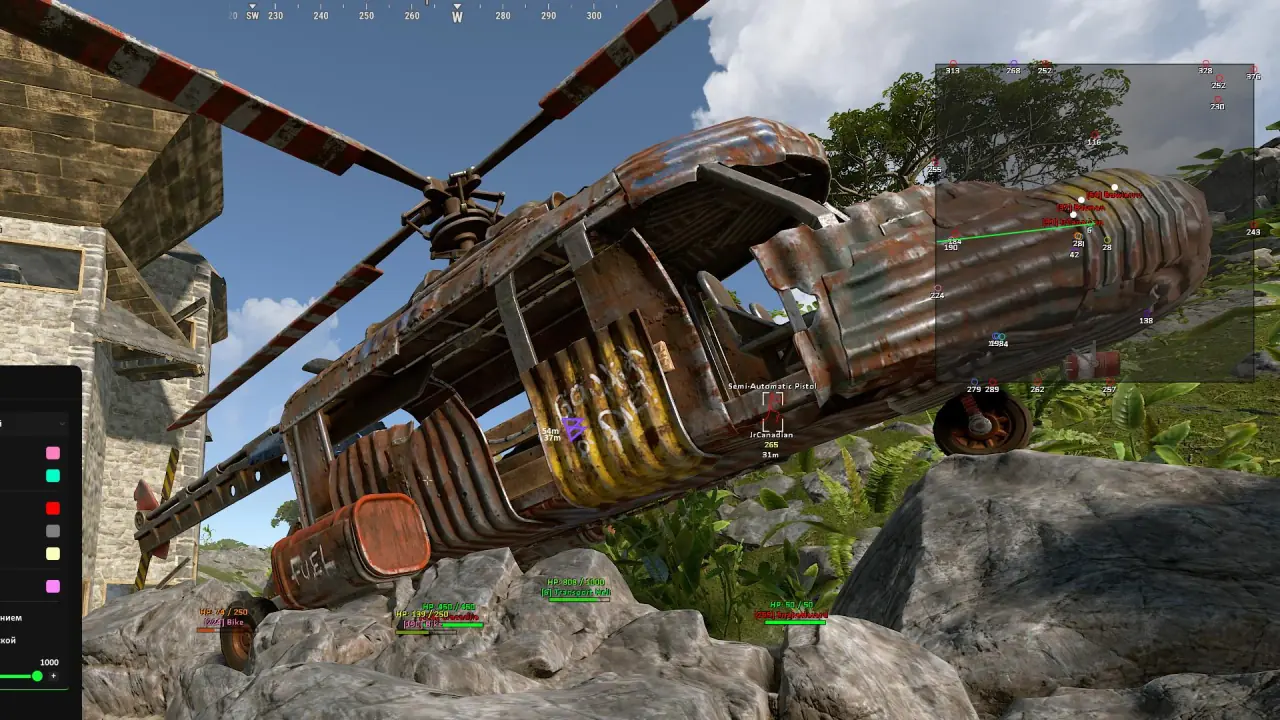
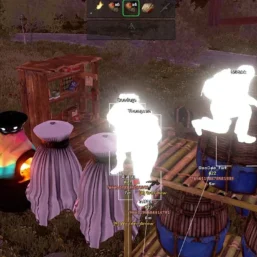
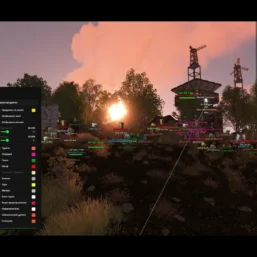
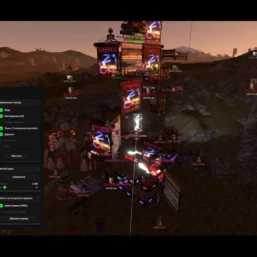
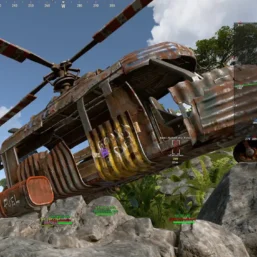
Pussycat for Rust combines configurable a1mbot with player, world and loot ESP. Track resources, vehicles and equipment with flexible filters, radar and visual options in a streamlined menu.
🌐 STATUS: ✅ Undetected
- AIM, ESP, RADAR, COLORS, MISC
- Full Features Lists in below description section
System requirements:
Launcher: Steam
Supported processors: Intel, AMD
Video card: Nvidia & AMD
Supported OS: Windows 10, Windows 11
Declaimer: We are not developing this software and we are a premium reselling service. We at ezMod do not advise or condone in any way, shape, or form the usage of any software sell from our shop in online gaming.
👁️🗨️ 32people are viewing this right now
Work in progress! The actual Software may have more/less features than displayed below. We will do our best to update it fully in the near future.
Pussycat – Rust: Full Features List
Aim Bot
- Enable – enables or disables the aimbot
- Aim Key – key to activate the aimbot
- Hitbox – select priority body part (closest to crosshair, head, body, etc.)
- Aim Type – select aimbot type
- Ignore Knocked – ignore knocked players
- Ignore Team – ignore teammates
- Prediction – enables target movement prediction
- Hitchance – enables hit chance check
- Hitchance Value – adjusts aimbot hit chance
- Smoothing X – horizontal aim smoothing
- Smoothing Y – vertical aim smoothing
- Max Distance – maximum aimbot working distance
- FOV – aimbot field of view size
- Draw FOV – display aimbot FOV
- Filled FOV – fill the FOV area
- Draw Arrows – display directional arrows pointing to targets around FOV
- Size – arrow size
- Distance – arrow display distance
- Thickness – arrow line thickness
- Dynamic Arrows – dynamic arrows depending on target positions
Players ESP
- Enabled – enables enemy display
- Box – displays players with boxes
- Box Style – choose box style (full, corners)
- Snaplines – draws ESP lines to players
- Snaplines Style – style of ESP lines
- Skeleton – displays player skeleton ESP
- Name – shows player nicknames
- TeamID – displays team ID
- SteamID – shows player Steam ID
- Item in Hands – displays current item in hands
- Item in Belts – shows items on belt (hotbar)
- Icons Belts – displays belt item icons
- Item in Body – shows items on body (armor)
- Icons Body – displays item icons on body
- Ignore Team – hide teammates in ESP
- Wounded – shows wounded players
- Scientists – displays NPC scientists
- Sleepers – shows sleeping players
- Show Distance – displays distance to targets
- Chams – enables ESP model highlighting
- Chams Style – choose chams style (several types)
- Max Distance – maximum ESP display distance
- Item Durability – displays the durability of items and clothing
World ESP
- Enable – enables world object display by key
- Show Icons – displays object icons
- Elite Crate – shows elite crates
- Normal Crate – displays normal crates
- Military Crate – shows military crates
- Tools Crate – displays tool crates
- Locked Crate – shows locked crates
- Food Box – displays food boxes
- Loot Barrel – shows loot barrels
- SamSite – displays SAM sites
- Supply Drop – shows supply drops
- Diesel – displays diesel fuel
- Recycler – shows recycler
- Fuel Recycler – displays fuel recycler
- Corpses – shows player and NPC corpses
- Blueprint Basic – displays basic blueprints
- Blueprint Advanced – shows advanced blueprints
- Max Distance – maximum object display distance
Items ESP
- Items in ground – displays items on the ground
- Show Text – shows textual information about items
- Show Icons – displays item icons
- Icon Size – item icon size
- Max Distance – item display distance
- Turrets – displays turrets
- Traps – shows traps
- Hemp – displays hemp plants
- Cupboard – shows Tool Cupboards
- Bags – displays sleeping bags
- Stone – shows stone nodes
- Sulfur – displays sulfur nodes
- Metal – shows metal ore
- Keycard – displays keycards
- FuseBox – shows fuse boxes
- Switch – displays switches
- Seismic Sensor – shows seismic sensors
- Halloween – displays Halloween items
Entities ESP
- Enable – enables entity display
- Bradley – shows Bradley APC
- Patrol Heli – displays patrol helicopter
- Cargo – shows cargo ship
- Tug Boat – displays tugboat
- Row Boat – shows rowboat
- Speed Boat – displays motorboat
- Kayak Boat – shows kayak
- Submarine – displays submarine
- Air Balloon – shows hot air balloon
- Transport Copter – displays transport helicopter
- Minicopter – shows minicopter
- Attack Copter – displays attack helicopter
- Bike – shows bicycles
- Snowmobile – displays snowmobiles
- Animals – shows animals
- Horse – displays horses
- Drone – shows drones
- Train – displays trains
- Health Value – displays entity health as text
- Health Bar – shows health as a bar
- Max Distance – maximum display distance
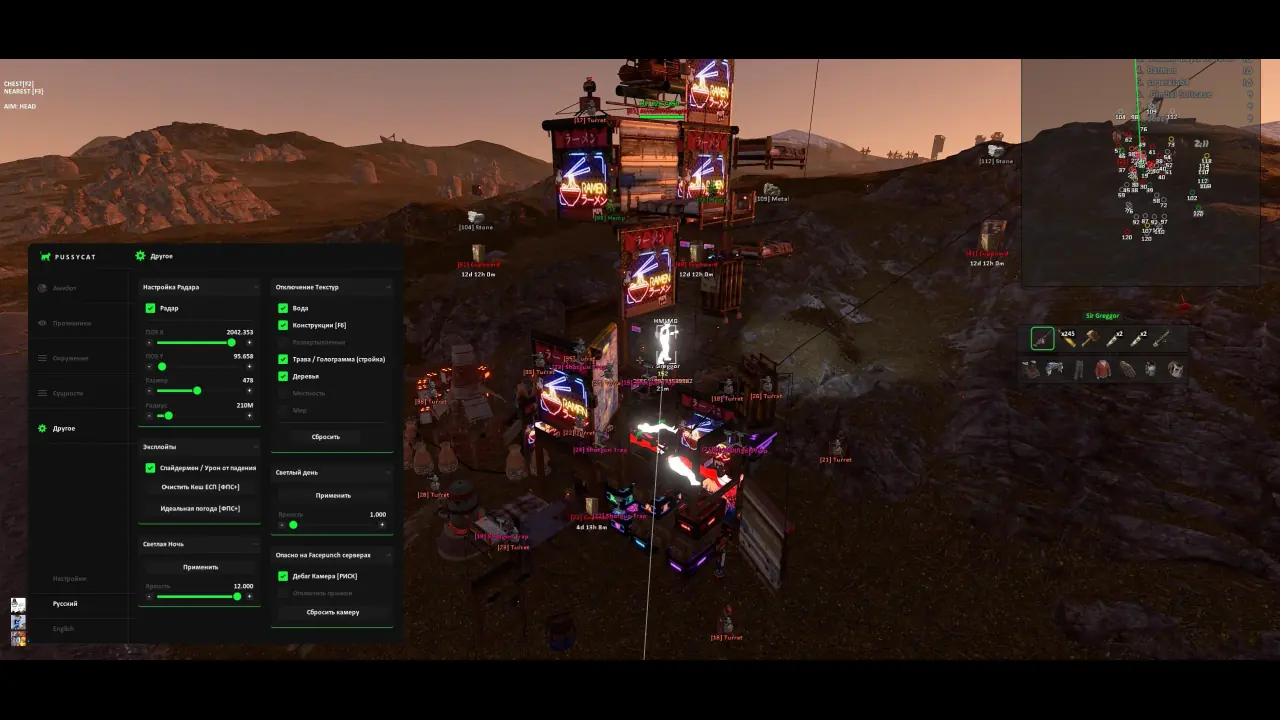
Other Pussycat Rust Features
- Radar – enables 2D radar (customizable)
- Disable Textures – disables textures (water, buildings, grass, trees, terrain, world textures, etc.)
- Spiderman – allows climbing surfaces and disables fall damage
- No Fall Damage – disables fall damage
- Clear Cache ESP – clears ESP cache to improve FPS
- Perfect Weather – automatically sets perfect weather and boosts game FPS
- Night Vision – a bright image at night
- Debug Camera – free camera for base scouting
- Block Jumps – block jumps when using the camera
- Reset Camera – resets camera to default position
- Languages – menu supports multiple languages (English, Russian)
- Custom ESP Colors – allows customization of ESP colors
| Choose License: | 1 Day, 7 Days, 30 Days |
|---|
Brand
Pussycat
Only logged in customers who have purchased this product may leave a review.
Related products

From 5.99$

From 5.99$

From 4.99$

From 7.99$

From 7.99$

From 7.50$


Reviews
There are no reviews yet.