Work in progress! The actual Software may have more/less features than displayed below. We will do our best to update it fully in the near future.
Pussycat – Once Human: Full Features List
a1mbot
- Enable – enables/disables the aimbot
- Aim Key – a key to activate the aimbot
- Hitbox – allows you to select the body part to aim at
- Aim Players – enables aiming at players
- Aim Entities – enables aiming at entities
- Smooth – enables smooth aiming at the target
- Smooth Amount – adjusts the level of aim smoothing
- Max Distance – sets the maximum aimbot range
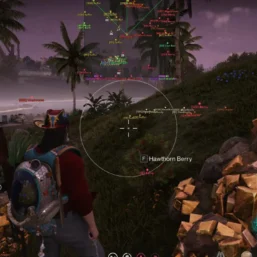
- Draw FOV – displays the aimbot area as a circle
- Filled FOV – adds fill to the FOV area
- Aimbot FOV – adjusts the size of the target search area
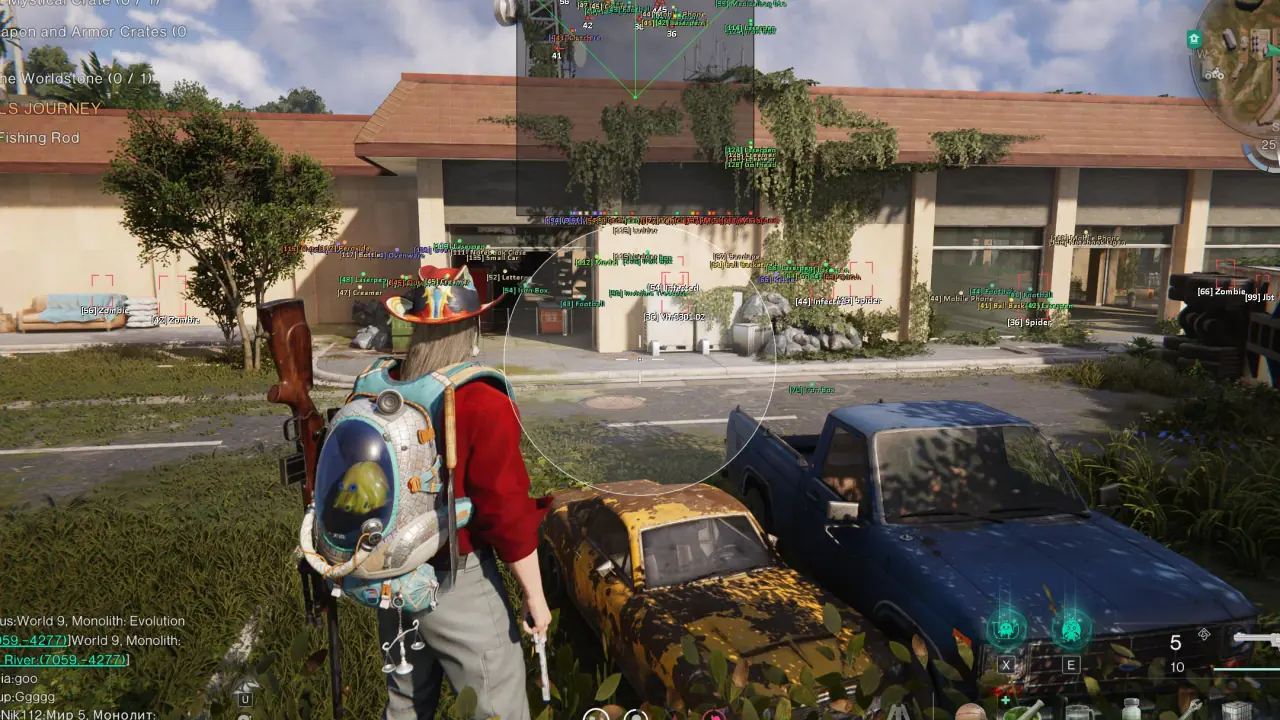
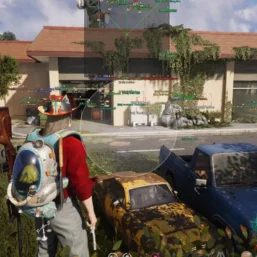
Entities ESP
- Show Entities – enables entity display
- Draw BOX – displays a box around entities
- Snaplines – displays lines to entities
- Names – shows entity names
- Animation – displays entity animations
- Held Weapon – shows the weapon held by the entity
- Radar – displays entities on the radar
- Box Style – allows you to choose the box style for entities
- Snaplines Style – allows you to choose the line style to entities
- Animals – displays animals
- Aberrants – displays Aberrants
- Bosses – displays bosses
- Bots – displays bots
- Deviants – displays Deviants
- Distance – shows the distance to entities
Players ESP
- Show Players – enables player display
- Draw BOX – displays a box around players
- Snaplines – displays lines to players
- Skelet – displays player skeletons
- Names – shows player names
- Animation – displays player animations
- Held Weapon – shows the weapon held by the player
- Radar – displays players on the radar
- Box Style – allows you to choose the player box style
- Snaplines Style – allows you to choose the line style to players
- Display Your Player – displays your character through ESP
- Ignore Dead – hides dead players
- Distance – shows the distance to players
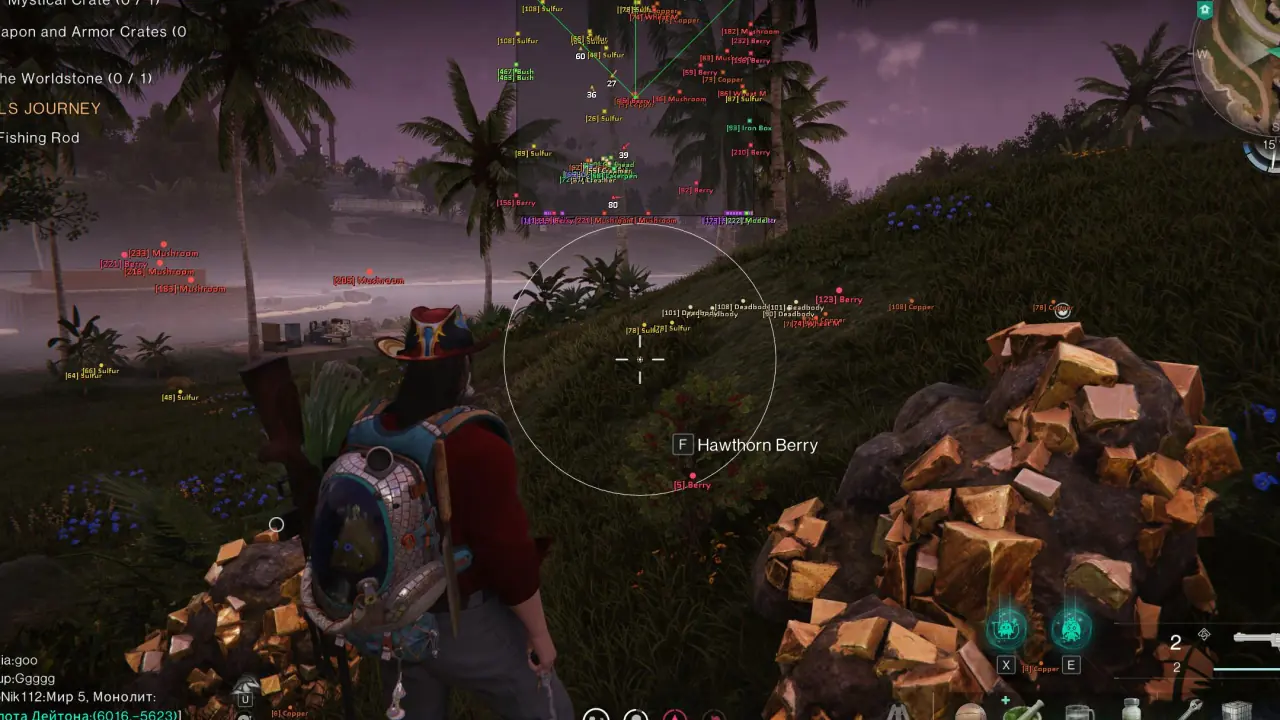
World ESP
- Show World – enables world object display (toggle on/off with a key)
- Distance – shows the distance to objects
- Names – displays object names
- Size – adjusts the size of displayed objects
- Radar – displays world objects on the radar
- Chests – displays chests
- Interactions – displays interactive objects
- Containers – displays containers
- Rift Anchors – displays Rift Anchors
- Teleports – displays teleport points
- Puzzles – displays puzzles
- Harvest – displays harvestable resources
- Berries – displays berries
- Stones – displays stones
- Mushrooms – displays mushrooms
- Ores – displays ores
- Lore – displays collectible lore objects
- Fishing – displays fishing-related objects
- Facility – displays buildings on bases
- Stardust – displays stardust
- Particles – displays particles
- Loot – displays loot
- Vehicles – displays vehicles
Radar Hack
- Radar – enables the radar
- POS X – adjusts the radar position horizontally
- POS Y – adjusts the radar position vertically
- Size – adjusts the radar size
- Radar Range – sets the display range of objects on the radar
Other Pussycat Once Human Features
- Entity Font Size – adjusts the font size for entities
- Player Font Size – adjusts the font size for players
- World Font Size – adjusts the font size for world objects
- Crosshair – enables a custom crosshair
- Thickness – adjusts the crosshair thickness
- Size – adjusts the crosshair size
- Lock Overlay FPS – locks the overlay refresh rate
- Save Config – saves the current settings
- Load Config – loads saved settings
- Menu Key – allows you to change the menu open key
- Unload Software – unloads the software from the game


Reviews
There are no reviews yet.