
New
Pussycat – Arma Reforger
From 3.99$
🔥 23sold in last 24 hours
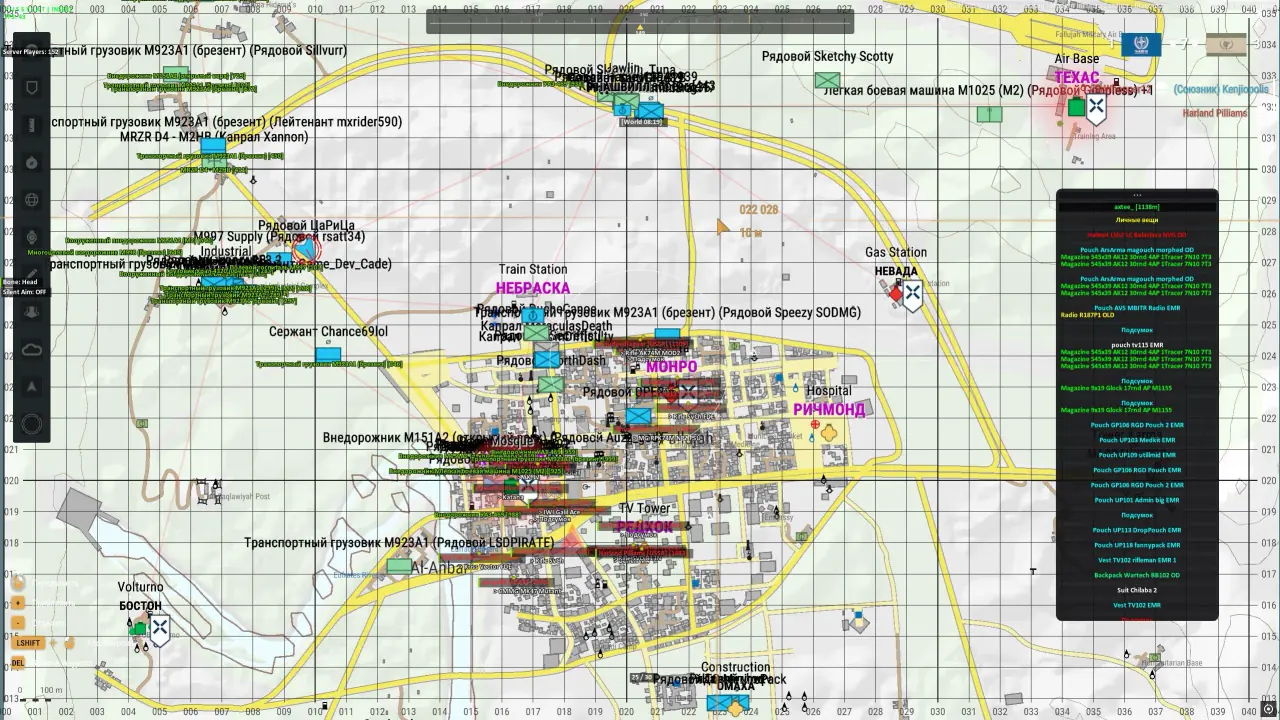
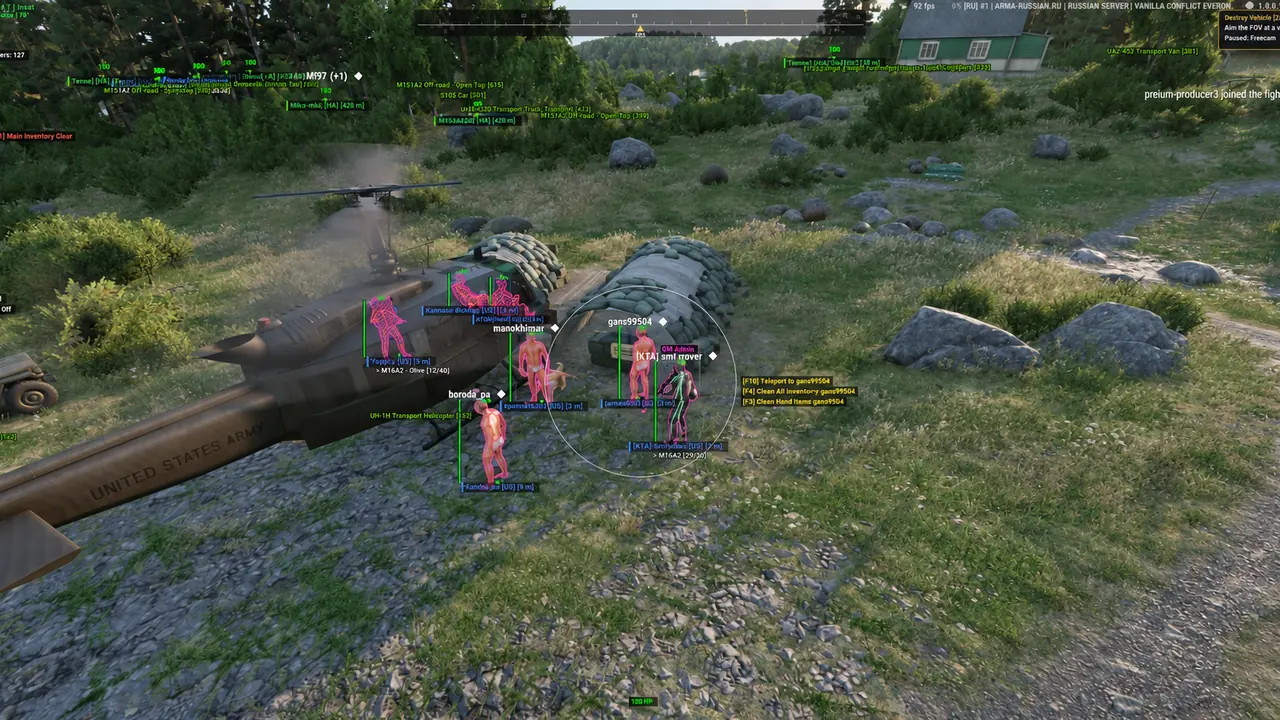
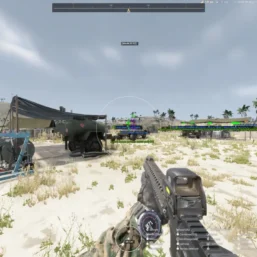
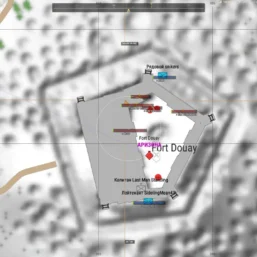
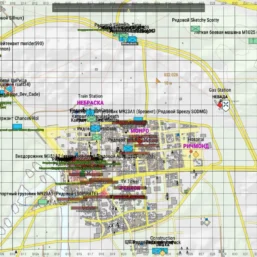
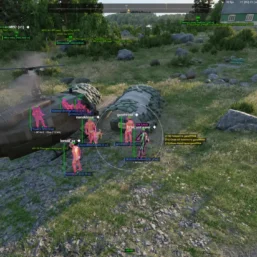
Pussycat for Arma Reforger combines configurable vector and silent a1mbot with detailed player, vehicle and loot ESP. Track equipment and map information while customizing recoil, HUD and visual options through the menu.
🌐 STATUS: ✅ Undetected
- AIM, ESP, COLORS, MISC
- Full Features Lists in below description section
System requirements:
Launcher: Steam
Supported processors: Intel, AMD
Video card: Nvidia & AMD
Supported OS: Windows 10, Windows 11
Declaimer: We are not developing this software and we are a premium reselling service. We at ezMod do not advise or condone in any way, shape, or form the usage of any software sell from our shop in online gaming.
👁️🗨️ 30people are viewing this right now
Work in progress! The actual Software may have more/less features than displayed below. We will do our best to update it fully in the near future.
Pussycat – Arma Reforger: Full Features List
a1mbot
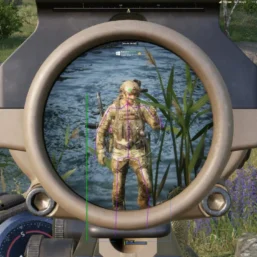
- Silent Aimbot – hidden aiming at the selected target
- Vector Aimbot – enables automatic aiming at enemies
- Aim Key – assign a key to activate the aimbot
- Aim FOV – adjust the target acquisition area size
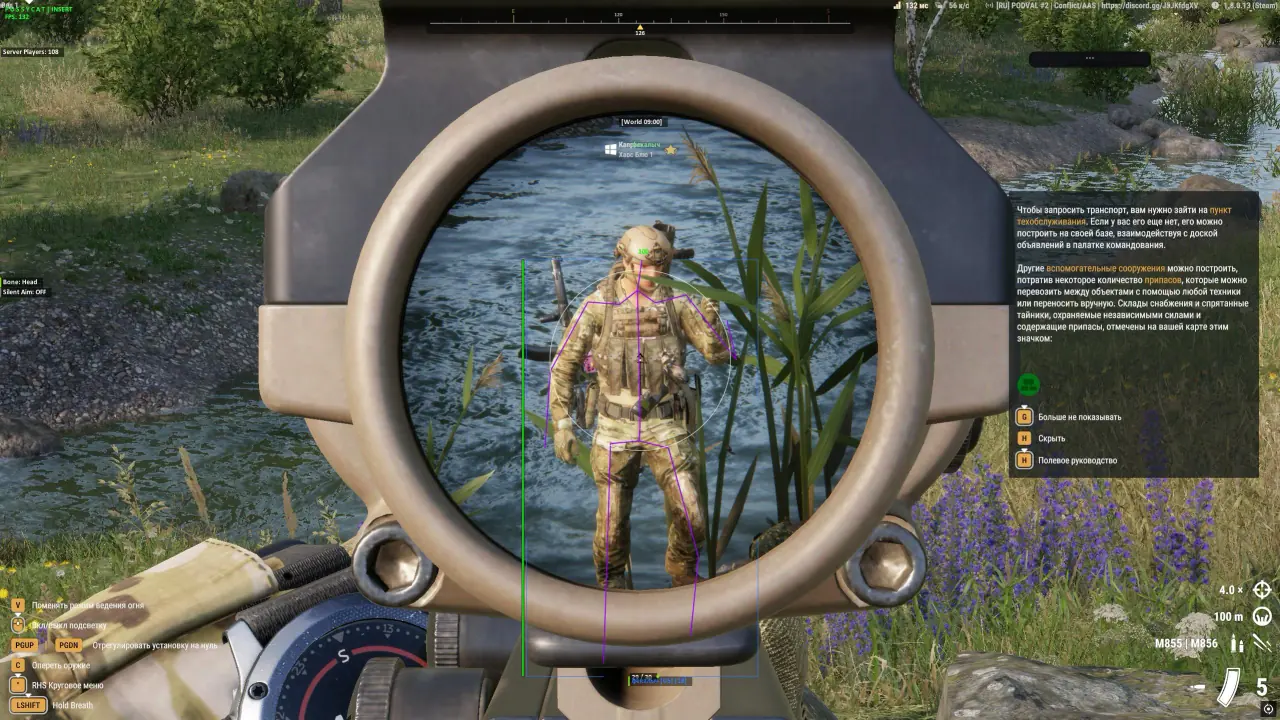
- Aim Hitbox – choose the body part the aimbot will aim at
- Players – the aimbot works on players
- Bots – the aimbot works on bots
- Ignore Team – ignore players from your own team
- Max Distance – maximum aimbot range
- Draw FOV – displays the aimbot working area on the screen
- Filled FOV – fills the FOV area with color
- Magic Aimbot – instant teleportation of bullets to the active target
- Visible Check – aim only at targets within the field of view
ESP Players, Bots, Vehicles
- Show Players – enables player display
- Ignore Team – hides allies and players from your team
- Draw Box – displays a box around the player model
- Box Style – choose the box style
- Max Distance – maximum player display distance
- Snaplines – displays lines to players
- Snaplines Style – choose the position and style of the lines
- Skeleton – displays the player model skeleton
- Name – shows the player’s name
- Show Faction – displays the player’s faction
- Show AdminServer – shows server administrators
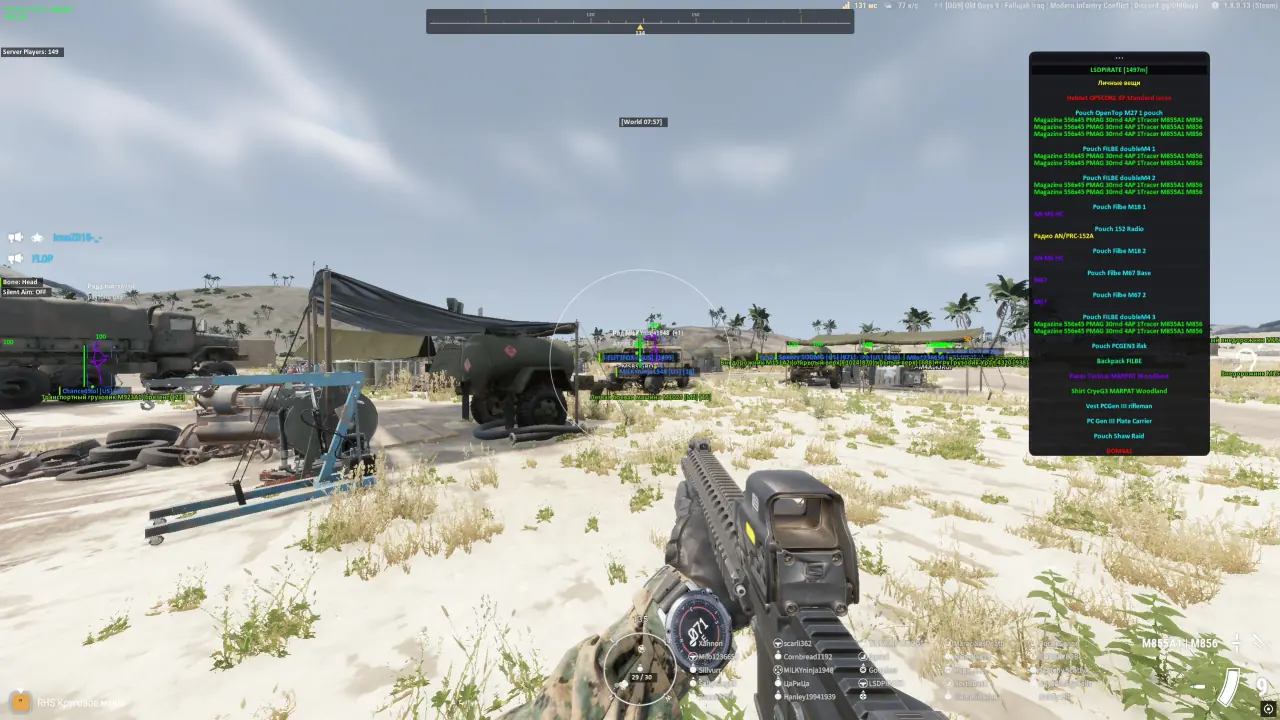
- Inventory – displays information about the player’s inventory
- Inventory List – shows the list of items in the inventory
- Item in Hands – displays the item in players’ hands
- Health Value – shows the numeric health value
- Health Bar – displays the player’s health bar
- Dead – displays dead players
- Dead Distance – maximum display distance for dead players
- Vehicle – enables vehicle display
- Visible Check Skeleton – changes the color of the player’s skeleton depending on their visibility
- Crosshair Details – displays detailed information about players only when they are near the crosshair
- Chams – visual highlighting of player models with settings for color, distance, outline, etc.
- Team Colors – different colors for factions
- Weapon Ammo – the number of rounds in the player’s magazine
Items & Loot ESP
- Max Distance – maximum item display distance
- Medical – shows medical items
- Building Items – shows building items
- Show Clothing – enables clothing display
- Headgear – shows hats and helmets
- Tops – shows upper-body clothing
- Backpacks – shows backpacks
- Vests – shows vests
- Gloves – shows gloves
- Pants – shows pants
- Shoes – shows shoes
- All Clothing – shows all clothing items
- Show Weapons – enables weapon display
- Firearms – shows firearms
- Pistols – shows pistols
- Magazines – shows magazines
- Ammo – shows ammunition
- Optics – shows optical sights
- Bayonet – shows bayonets and knife bayonets
- Explosives – shows explosive items
- All Attachments – shows all weapon attachments
- All Weapons – shows all weapon types
Exploits
- Show World Time – displays the current in-game time
- Unlock Thirdperson – unlocks third-person view
- Time Set – allows changing the in-game time
- Time – in-game time setting
- No Recoil – disables weapon recoil
- No Sway – disables weapon sway
- Infinite Stamina – enables infinite stamina
- Compass – displays a compass
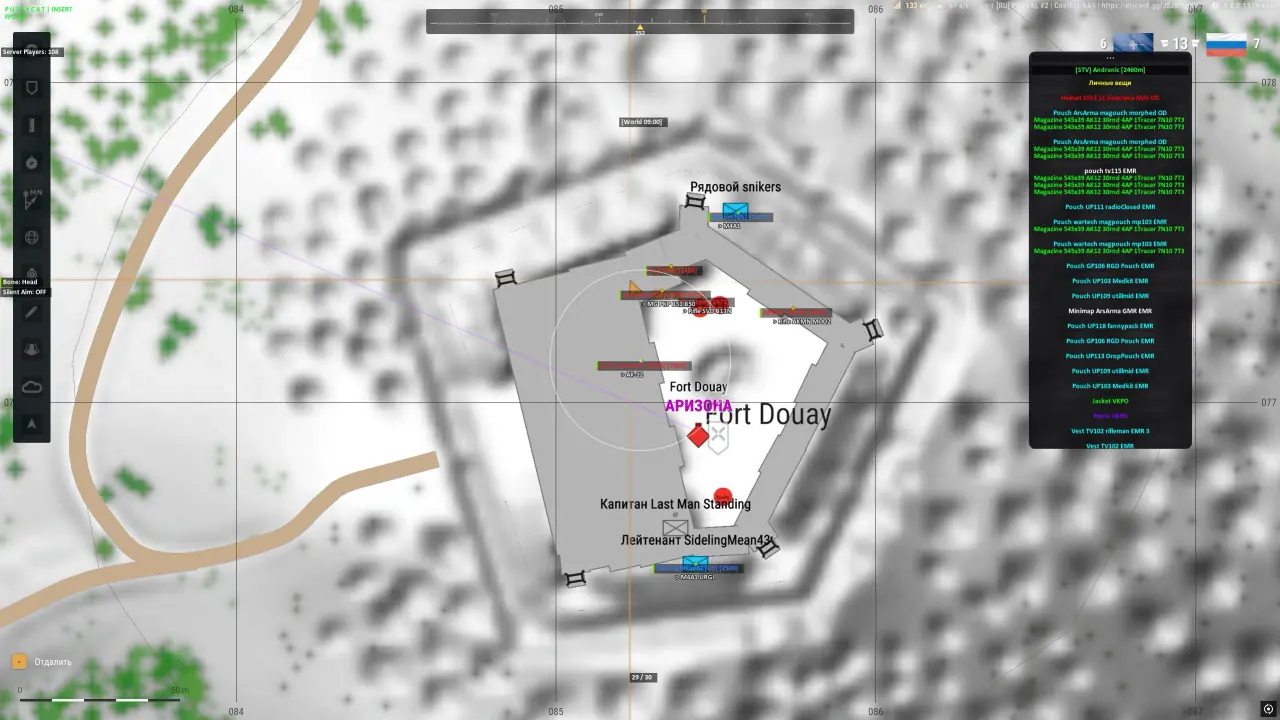
- Show Map Points – displays additional points on the map
- Noclip – mode for passing through objects (keybind and speed can be configured)
- Fly Hack – free movement of the character through the air
- Freecam – free camera flight
- Air Walk – the ability to move through the air without falling
- SpeedHack – changing the character’s movement speed
- No Spread – disabling weapon spread
- No Fall Damage – disabling fall damage
- No Coma – disabling the coma state
- Night Vision – improving visibility in the dark
- Change Faction – allows you to change the faction after respawn
Teleport
- Teleport to Player – teleportation to the selected player
- Teleport to Crosshair – teleportation to the point on the crosshair
- Teleport to Freecam – teleportation to the current position of the free camera
- Waypoints – creating and saving custom points on the map for subsequent movement
- Teleport to Map Marker – teleportation to the established game markers on the map
Other Pussycat Arma Reforger Features
- ESP On Map – shows ESP on the map
- Crosshair – displays a custom crosshair in the center of the screen
- Ammo HUD – displays ammunition information
- HP HUD – displays health information
- Entity Font Size – adjust text size for entities
- Item Font Size – adjust text size for items
- Count Players – shows the number of players
- Lock Overlay FPS – limits the overlay FPS
- Save Config – saves the current settings to a config
- Load Config – loads a saved config
- Menu Key – assign a key to open the menu
- Localizations – the menu is available in English and Russian
| Choose License: | 1 Day, 7 Days, 30 Days |
|---|
Brand
Pussycat
Only logged in customers who have purchased this product may leave a review.
Related products
From 4.99$

Reviews
There are no reviews yet.