
New

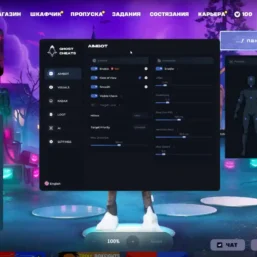
Ghost – F0rtnite

From 4.45€
🔥 10sold in last 16 hours
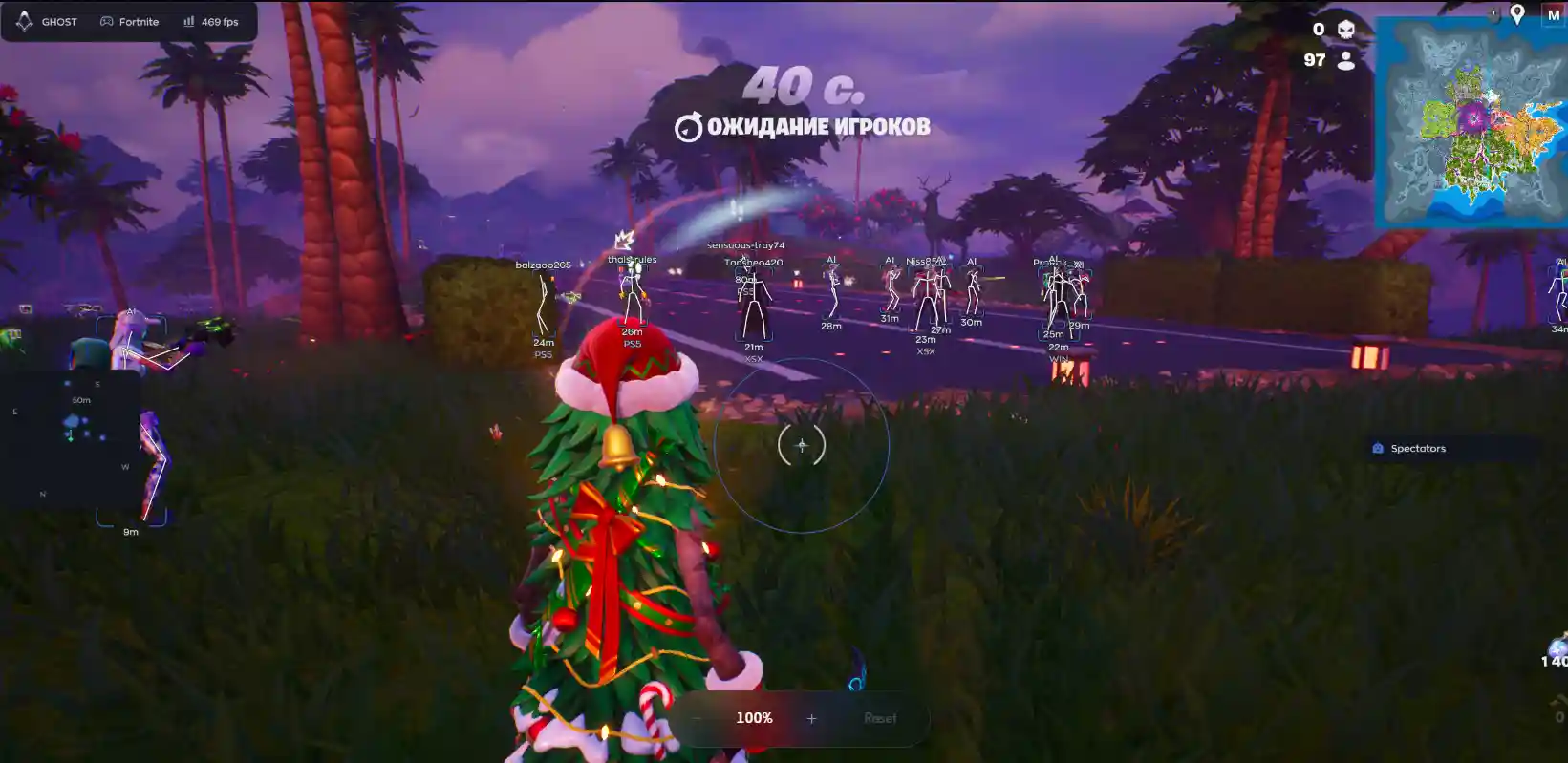
Ghost for F0rtnite a customizable gameplay enhancement suite featuring precision Aimbot controls, detailed player visuals, radar tracking, and comprehensive loot detection, complemented by weapon customization, configurable overlays, Battle Mode.
🌐STATUS : ✅ Undetected
- AIM, ESP, RADAR, COLORS
- Full Features Lists in below description section
System requirements:
Supported Launcher: EPIC
Supported processors: Intel, AMD
Supported OS Build : Windows 10-11 x64 (21H2, 22H2, 23H2, 24H2, 25H2, 26H1)
Declaimer: We are not developing this software and we are a premium reselling service. We at ezMod do not advise or condone in any way, shape, or form the usage of any software sell from our shop in online gaming.
👁️🗨️ 24people are viewing this right now
Work in progress! The actual Software may have more/less features than displayed below. We will do our best to update it fully in the near future.
Ghost – F0rtnite : Full Features Lists
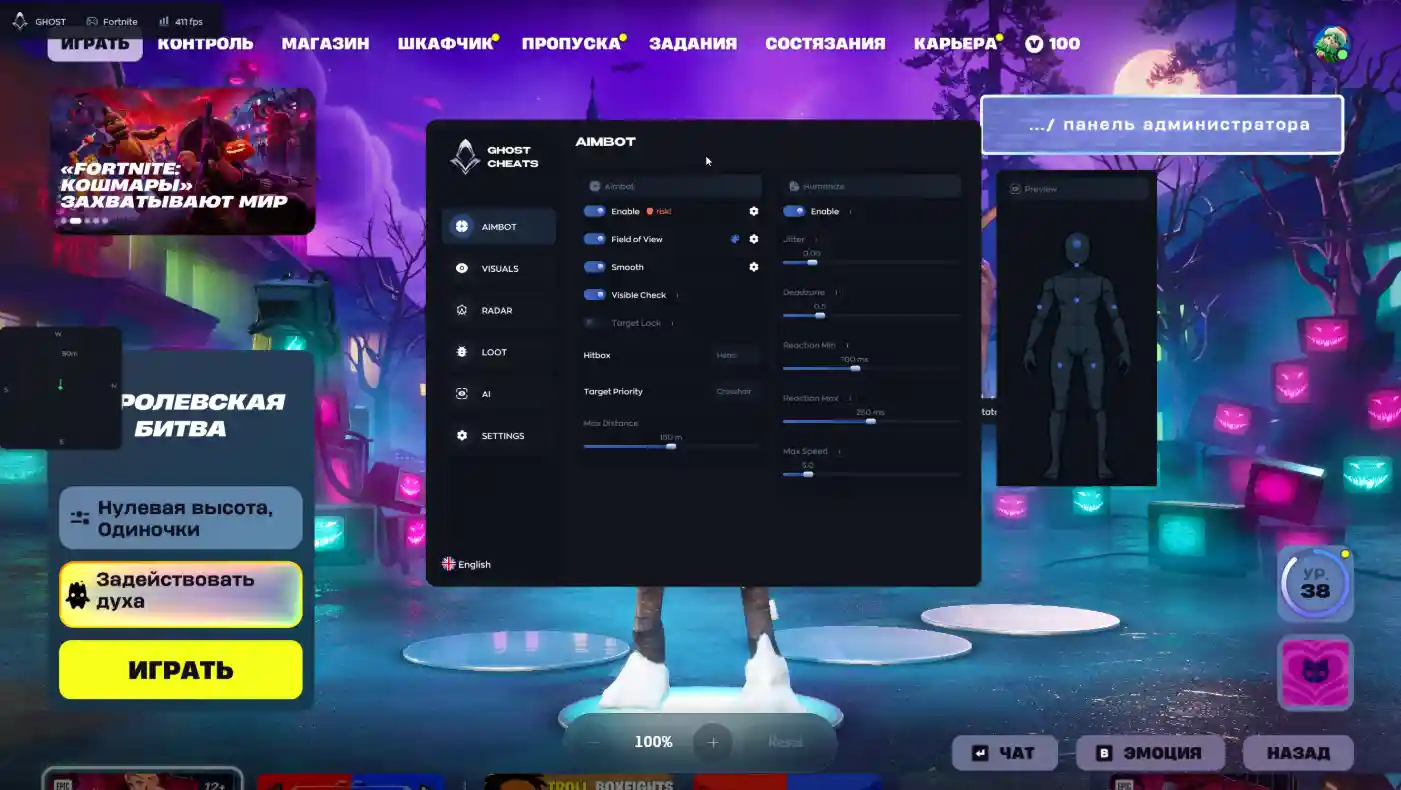
- AIMBOT
- Enable — Turns the aimbot feature on or off.
- Field of View (FOV) — The radius within which the aimbot will “lock onto” a target.
- Smooth — The smoothness of the aim movement.
- Visible Check — Checks whether the target is visible.
- Target Lock — Keeps the crosshair locked onto the selected target, even as it moves.
- Hitbox — Selection of the target area (hit zone).
- Target Priority — Determines which target to prioritize.
- Humanize: Settings to make the aimbot’s movements appear more natural.
- Enable — Turns the humanization feature on.
- Jitter — Adds slight, random deviations (shaking) to the crosshair.
- Deadzone — A “dead” area where the aimbot does not react to mouse movement.
- Reaction Min / Max — The minimum and maximum reaction time.
- Max Speed — The maximum speed at which the camera can turn.
VISUAL
- Enable — Turn the feature on.
- Visible Check — Display information only for visible enemies.
- Box — Draw a rectangle (box) around an enemy.
- Skeleton — Display an enemy’s skeleton.
- Name — Show a player’s nickname.
- Distance — Show the distance to an enemy in meters.
- Platform — Show the platform the enemy is playing on (PC, console, etc.).
- Rank — Show a player’s rank/level.
- SnapLine — A line extending from the bottom of the screen toward an enemy.
- Offscreen Arrows — Arrows indicating the direction of enemies located outside your field of view.
- Preview — A preview window showing how the visuals will appear on a player.
RADAR
- Enable — Turn on the radar.
- Draw Outline — Draw the radar outline.
- Draw Background — Draw the radar background.
- Point Style — Style for displaying points.
- Size — Size of the radar.
- Max Distance — Maximum distance for displaying objects on the radar.
- Point Size — Size of the points on the radar.
- Zoom — Radar zoom level.
- Compass Bar — Enable the compass (directional bar) within the radar.
LOOT
- Enable — Enable loot highlighting.
- Weapons — Highlight weapons.
- Ammo — Highlight ammo.
- Shields — Highlight shields (green/blue potions).
- Healing — Highlight medkits and bandages.
- Throwables — Highlight grenades and throwable items.
- Consumables — Highlight consumables (fish, bananas, etc.).
- Traps/Utility — Highlight traps and utility items.
- Other — Highlight other items.
SETTING
- Config System — List of saved configurations
- Create / Delete — Create or delete a configuration.
- Save / Load — Save or load settings.
- Export / Import — Export and import settings (for sharing with other users).
- Watermark — Display a cheat watermark on the screen.
- Keybind Indicator — Show an indicator for pressed keys.
- Shadow Text — Add a shadow to text.
- Hide From Capture — Hide the cheat menu during screen recording, streaming, or when taking screenshots.
- Battle Mode — Disable unnecessary features during combat.
- Crosshair — Built-in crosshair.
- Menu Key — Key used to open the menu (default is “Menu”).
- Spectator List — List of spectators (those watching you).
- VSync — Vertical synchronization.
- High Performance — High-performance mode.
- DPI Scale — Scale the interface according to screen resolution.
AI CHAT
- AI Assistant — a chat window with a built-in AI that answers questions about cheat settings.
| Choose License: | 1 Day Full, 7 Days Full, 30 Days Full |
|---|
Brand
Ghost
Only logged in customers who have purchased this product may leave a review.
Related products

From 7.12€

From 4.45€

From 7.12€

From 4.44€

From 4.45€


Reviews
There are no reviews yet.